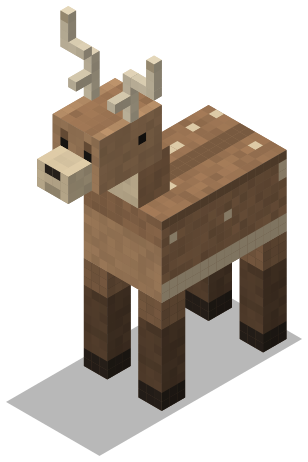
Hollow Stag
Passive mob
Grazes at the edge of the forest and bolts when it’s hurt.
- Health
- 24
- Speed
- 0.28
- Goals
- Wander, flee, look at players
- Animations
- 4
OfferEngineer comes with a 7-day free trial for new users.Claim offer

Build, paint and animate in the browser. Press Apply and it’s live in the game.
Each one is a single file: the model, its paint, its animations and its config. Pick a slot.
Passive mob
Grazes at the edge of the forest and bolts when it’s hurt.
Hostile mob
Coils in lava lakes and lunges at anyone who gets close.
Boss
Wakes when someone sets foot on its plaza. Its health bar runs across the top of the screen.
Passive mob
Drifts over the marsh after dark and lights the path.
NPC
Keeps the map stall at the market and walks a loop between customers.
Weapon
Cut from a stone that remembers.
Hums when a rune is near.
Weapon
Strung with bramble. Slow to draw and hard to dodge.
Tool
The needle turns toward home.
Food
Still warm, and sticky on top.
Install the plugin once. After that, every change goes out from the browser.

Put the jar in your plugins folder and start the server. Then run /vstudio connect on the server. It shows a code to enter on the Link a server page.
[12:04:11 INFO]: Done (3.2s)! For help, type "help"
> vstudio connect
Your code is K7QF-2M9X
Enter it at vellumdev.com/link, signed in to your Vellum account.
Linked to Survival as Survival-1.

Shape it from cubes and bones, paint right on the model, and animate it. Check it beside a player at true scale before anyone else sees it.
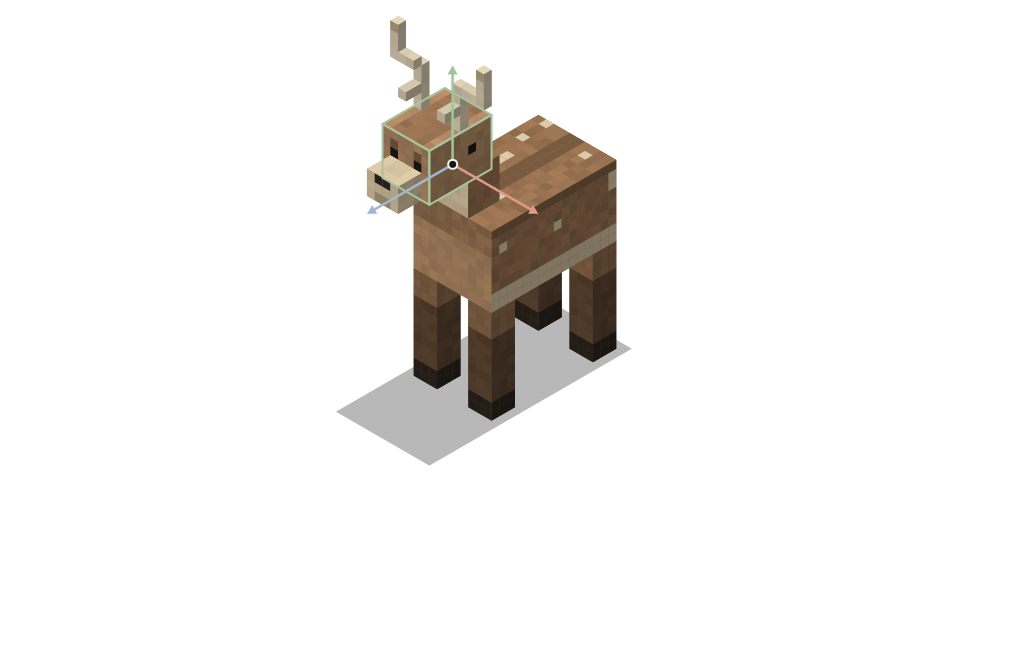
hollow_stag.vellum16 cubes · 10 bones · texture 64 × 64

The plugin checks every file, builds the pack and serves it. Players pick it up where they stand. Changed your mind? Roll back to the last build.
Apply checks, builds, swaps and serves, in that order. If any step fails it stops there, and the server carries on exactly as it was.
Not applied
Runic Blade needs one fix.
The guard is turned 30°. Items can only turn in steps of 22.5°, so try 22.5° or 45°. Nothing on the server has changed.
Live
Build 9f2c04e1
38 of 42 players have it. The other 4 are loading it now.
Your players stay online while you work, so every change is checked before it reaches them.
Every file is checked before anything changes. If one fails, you’re told which file, which part and why, and the server keeps running what it had.
Each build shows how many players loaded it and who is still on an older one.
Health, behaviour, hit regions and display slots live beside the cubes. The plugin’s YAML is written for you.
Angles the game can’t draw, items too large for their slot, a mob with no walk animation. The Studio flags them while you work.
The short answer, before you install anything.
Pay when your team or your network grows. Prices are in US dollars, per team.
One server, one owner.
$0USD
For most teams
A server and the people who build for it.
$16.99USD per month
or $180 USD a year, saving $23.88
3 Studio seats for your team, plus the owner’s own seat. 4 seats in total.
Many servers, one careful process.
$29.99USD per month
or $320 USD a year, saving $39.88
7-day free trial for new users. Claim offer
7 Studio seats for your team, plus the owner’s own seat. 8 seats in total.
Send a development resource pack to one staff member, so they can test changes on the live server before anyone else gets them.
Network adds 3 servers to Builder for $9.99 USD a month. Extra seats are $4.99 USD a month each. Both are billed monthly, whether the plan is paid monthly or yearly.
Subscriptions renew automatically until cancelled, and you can cancel any time from your account. See Refunds & Cancellation and the Terms.
No. Apply swaps the content while the server runs, and players get the new pack without leaving.
It runs alongside them. Vellum shows and configures its own models and doesn’t read their files today.
No. Vellum opens its own files and doesn’t import Blockbench models. You build in the Studio.
You do, on every plan. Export every model and pack whenever you like.
Your server keeps running, and the content it has already loaded keeps working. You can edit the plugin’s files by hand in the meantime, and the Studio picks your changes up when it is back.
The jar, its size and its SHA-256 checksum will be listed here when it is published.